

Appearance
Automated Document Verification
For the end-to-end flow, see the Automated document verification integration guide.
Endpoints for requesting automated document verifications on cases.
Case requirements
| Property | Notes |
|---|---|
| Dob | DOB is required to run ADV (all three, DOBDay, DOBMonth, DOBYear) |
| GivenNames & Surname | Are required, ADV currently doesn't support Fullname |
| CaseType | Has to be Individual |
TIP
We'll refer to this service as "ADV" throughout this page.
Start session
Sessions are required for cases to complete a doc verification. Sessions are sent out automatically via the email address of the case.
| Endpoint | /api/cases/{caseId}/automateddocverification |
|---|---|
| Method | POST |
Request
The request contains configuration options for the session.
| Property | Required | Notes |
|---|---|---|
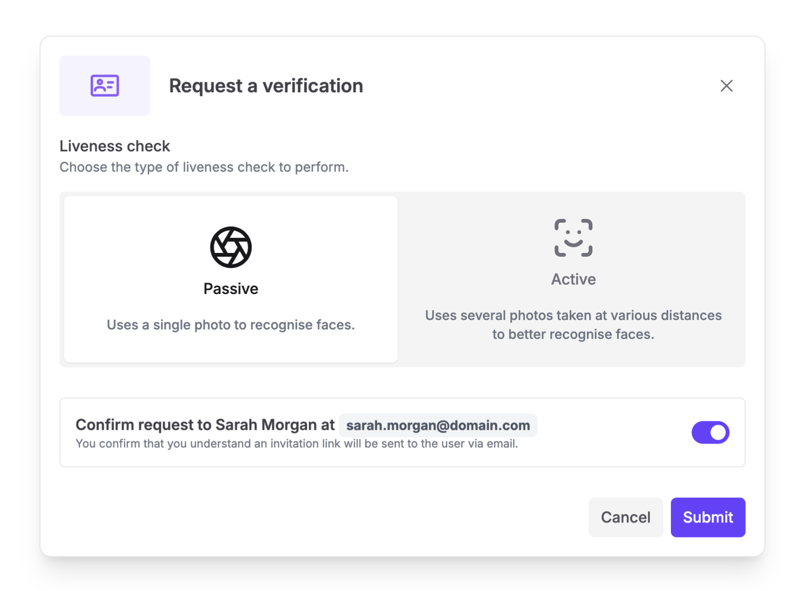
| Liveness | ✅ | Specifies what level of liveness check is required. Options are none, active or passive |
| SaveDoc | Controls whether the document(s) uploaded to the ADV session also get added to the case for further processing. If omitted, we will use the setting from your client configuration. If your client configuration is not set then this defaults to true. |
json
{
    "liveness":"passive"
}
Response
Expect a 201 Created status code with an empty body.
Get session
Returns the case's latest session: its link, its status, and when it was created and expires. Use it to show or copy the link the customer was sent, or to see whether they've finished. For the outcome of a completed session, see API Results.
| Endpoint | /api/cases/{caseId}/automateddocverification |
|---|---|
| Method | GET |
Response
Response 200 OK
| Property | Notes |
|---|---|
| checkOptions | The options the session was requested with: liveness and saveDoc. See Start session. |
| sessionId | The ID of the ADV session. |
| sessionUrl | The link the customer completes the session at. The same link is in the email they were sent. |
| sessionCreatedAt | When the session was created, in UTC. |
| sessionExpiresAt | When the link stops working, in UTC. Not always present: it may be missing for sessions that have completed. |
| status | Where the session has got to. See Session status. |
json
{
    "checkOptions": {
        "liveness": "passive",
        "saveDoc": true
    },
    "sessionId": "e2d86a81-ea39-4f80-8f9a-2b62e2c3b721",
    "sessionUrl": "https://api.yoti.com/idverify/v1/web/index.html?sessionID=d1f5c0a2-6b3e-4c11-9a7e-2f8b5c4d3e21&sessionToken=8a7b6c5d-4e3f-2a1b-0c9d-8e7f6a5b4c3d",
    "sessionCreatedAt": "2026-10-05T12:00:00Z",
    "sessionExpiresAt": "2026-10-07T12:00:00Z",
    "status": "ongoing"
}
Session status
| Status | Meaning |
|---|---|
ongoing | The customer can still complete the session using the link. |
completed | The customer has completed the session. The result may still be on its way: see API Results. |
expired | The link expired before the customer completed the session. Start a new session instead. |
failed | The session failed. Start a new session instead. |
Response 404 Not Found
Returned if no session has been requested for the case.
http
HTTP/1.1 404 Not Found

"No session has been requested for this case."
Response 409 Conflict
Returned if the session has been requested but is still being created. Try again shortly.
http
HTTP/1.1 409 Conflict

"The session is still being created."
Resend session email
Emails the customer the link to the case's open session again. Use it if the customer can't find the original email, or if their email address was wrong when the session was requested.
Before sending, we check with the verification provider that the customer can still use the link, so the email isn't sent for a session they've already completed or that has expired.
The email goes to the case's current email address, so correct the address on the case first if needed. The link is the same as before, and resending does not extend when it expires.
| Endpoint | /api/cases/{caseId}/automateddocverification/resend |
|---|---|
| Method | POST |
Request
No request body.
Response
Response 204 No Content
The email has been sent.
Response 400 Bad Request
Returned if the case has no email address for the customer.
http
HTTP/1.1 400 Bad Request

"The case has no email address for the customer."
Response 404 Not Found
Returned if no session has been requested for the case.
http
HTTP/1.1 404 Not Found

"No session has been requested for this case."
Response 409 Conflict
Returned if the case's latest session isn't waiting on the customer. The message says why:
| Message | Meaning |
|---|---|
| The session is still being created. | The session hasn't been emailed yet. Try again shortly. |
| The customer has already completed the session. | Nothing to resend. The result may still be on its way: see API Results. |
| The session has expired. Request a new one. | The link no longer works. Start a new session instead. |
| The session is no longer open. Request a new one. | The session can't be resent, for example because it failed. Start a new session instead. |
http
HTTP/1.1 409 Conflict

"The session has expired. Request a new one."
Portal Interface
The below sections outline Automated Document Verification as displayed on the Portal.
Requesting a Session
WARNING
An Automated Document Verification Session can only be required if:
- The ADV service is enabled on your client.
- The case has an email address.
- The case does not have an existing pending, active, or successful ADV session.
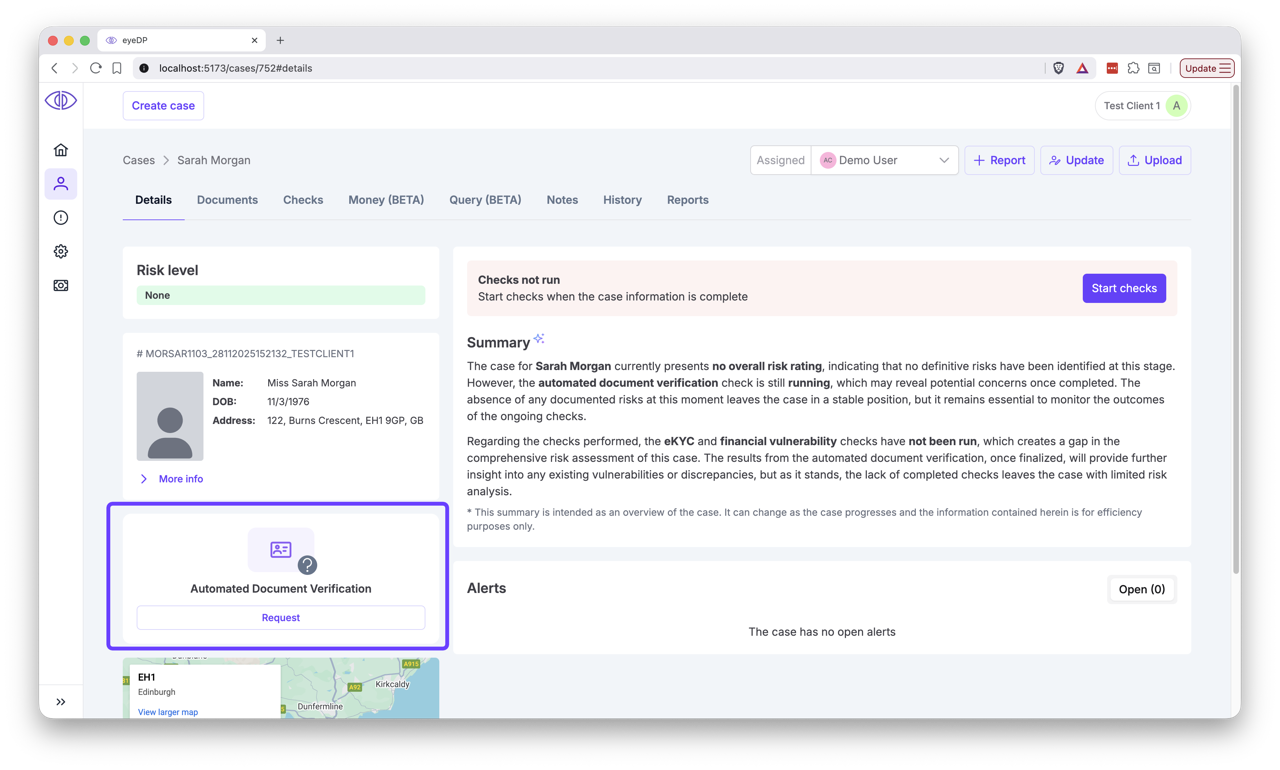
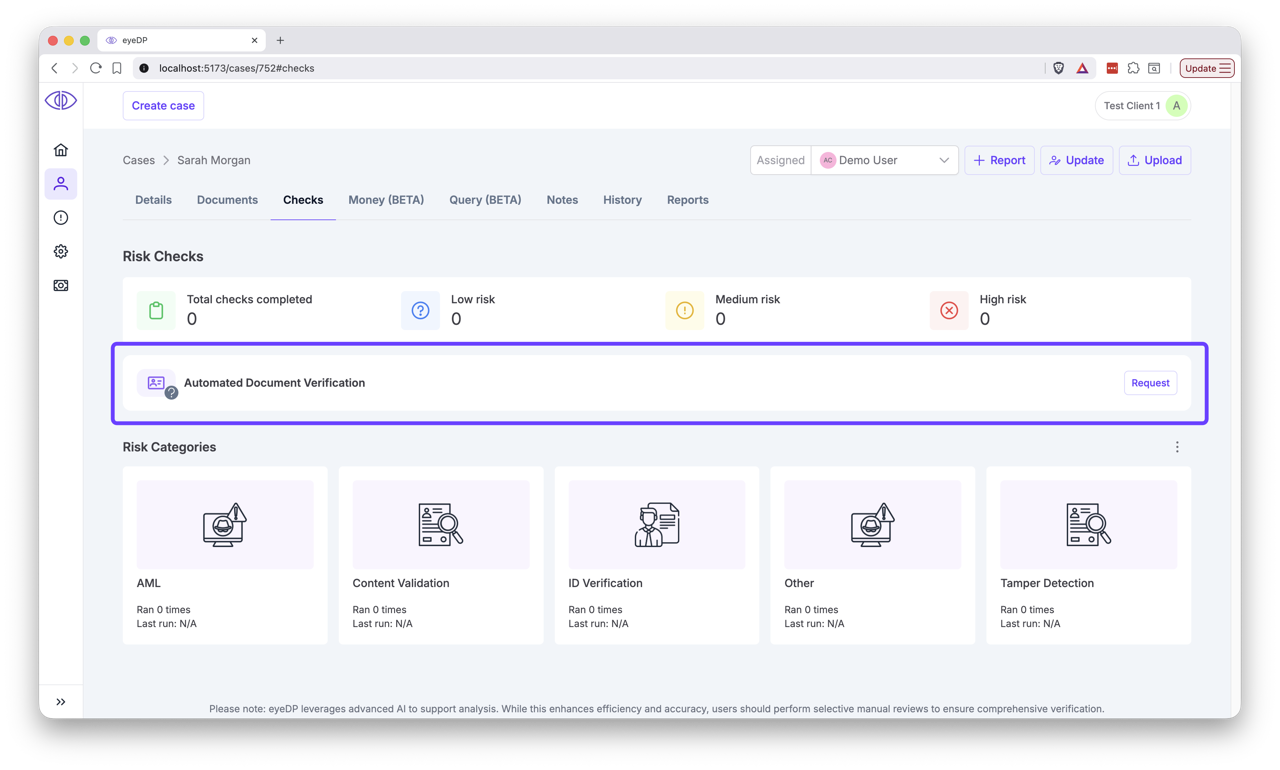
Click the
Requestbutton on the ADV status card. This is present on the main Case sidebar, or on the "Checks" page.Case details tab
Case checks tab
Select between the liveness check options, and confirm the submission.
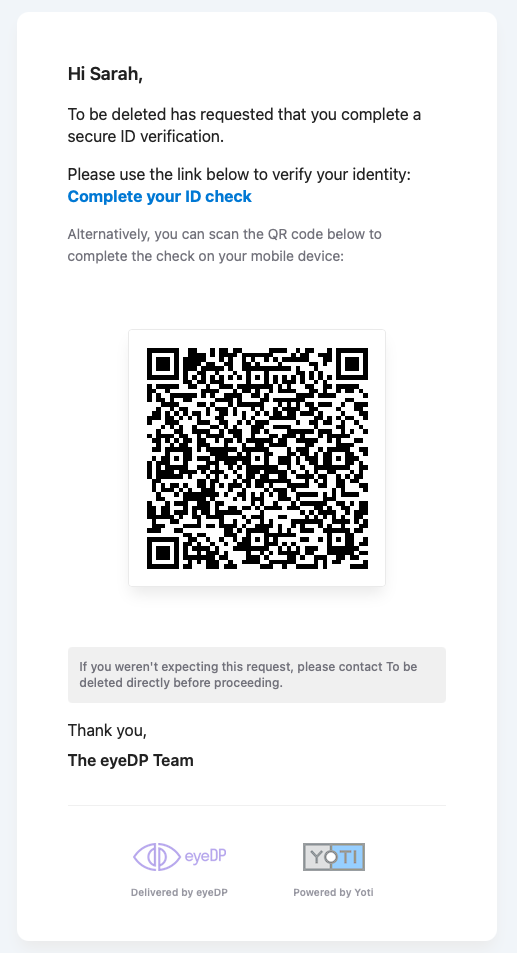
Click submit. The user will receive an email with a link and QR code. An example of this is below:
Session Progress
The Status Card will change as the state of the session changes. The below table describe the various potential statuses:
| Image | Description |
|---|---|
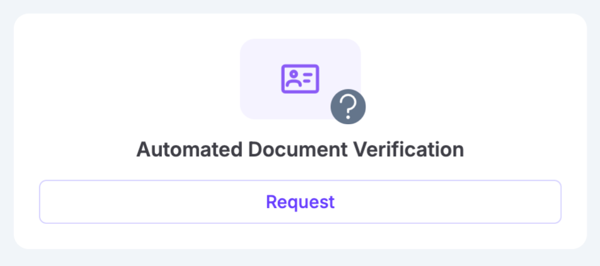 | No ADV session exists for this case. ADV is available, click Request to begin. |
 | The case has no email associated, no an ADV session cannot be created. |
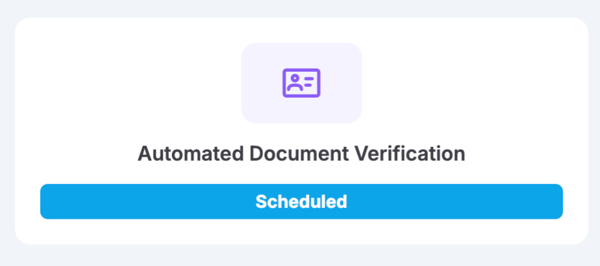 | A session has been requested, but has not yet been emailed to the user. |
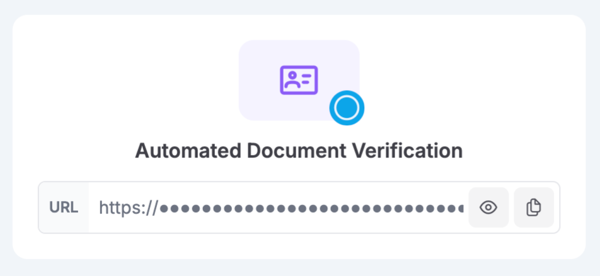 | A session is in-progress. You can view and/or copy the session URL, as well as resend the session email using the controls in the card. Note: The email will be sent to the newest email on the case. |
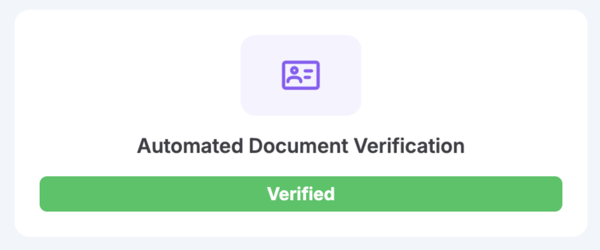 | Verification was successful. |
 | Verification failed, or the ADV session itself encountered an error. A new session can be requested to try again. |
Session Results
Case Checks
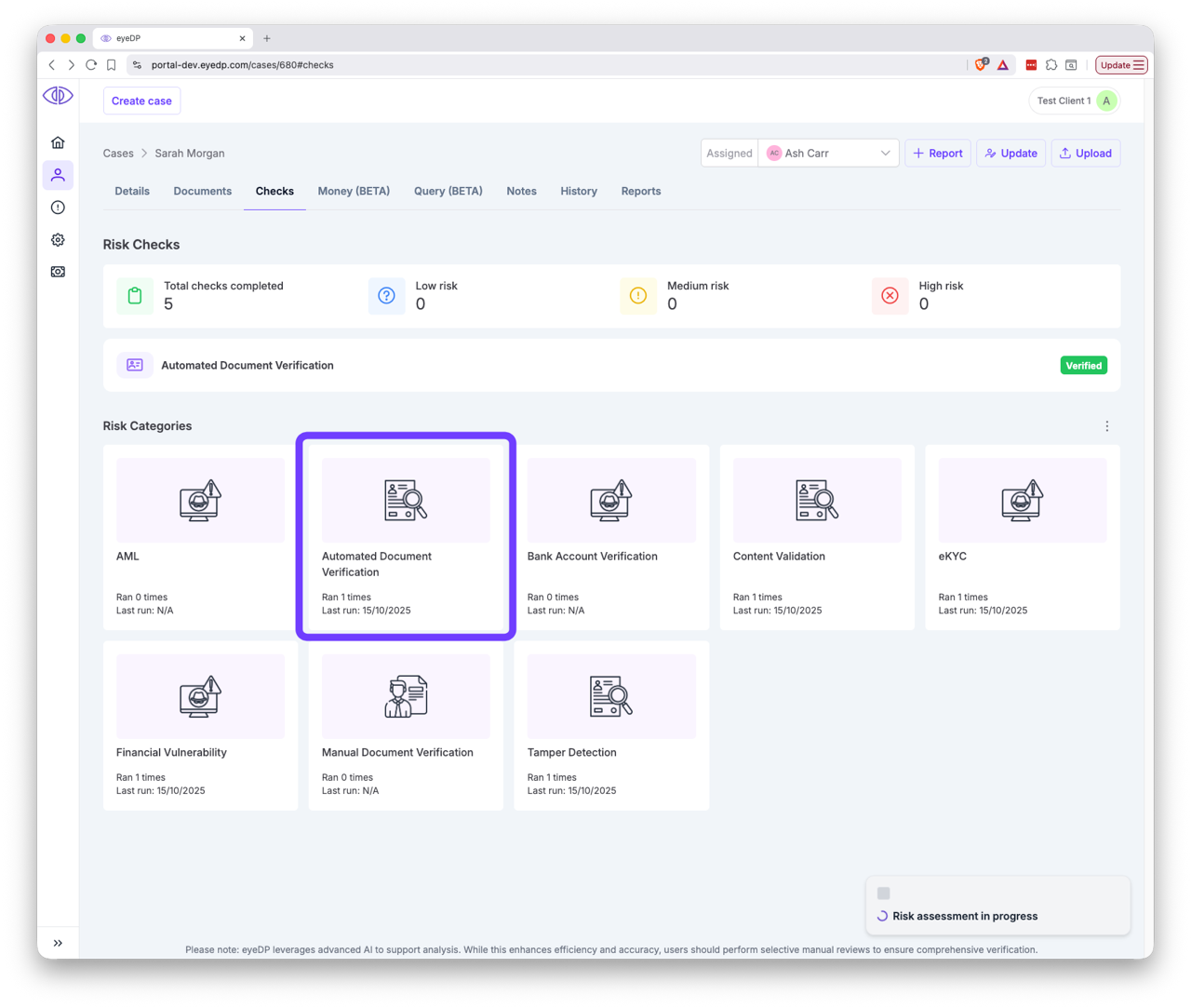
Once the session is complete, the results will be available on the "Checks" tab, under "Automated Document Verification". Or via cases/{caseId}/checks/{checkId} in the API.
TIP
If you have the "Show Categories" toggle enabled, ADV appears under the "ID Verification" category.

ADV Operation Entries
TIP
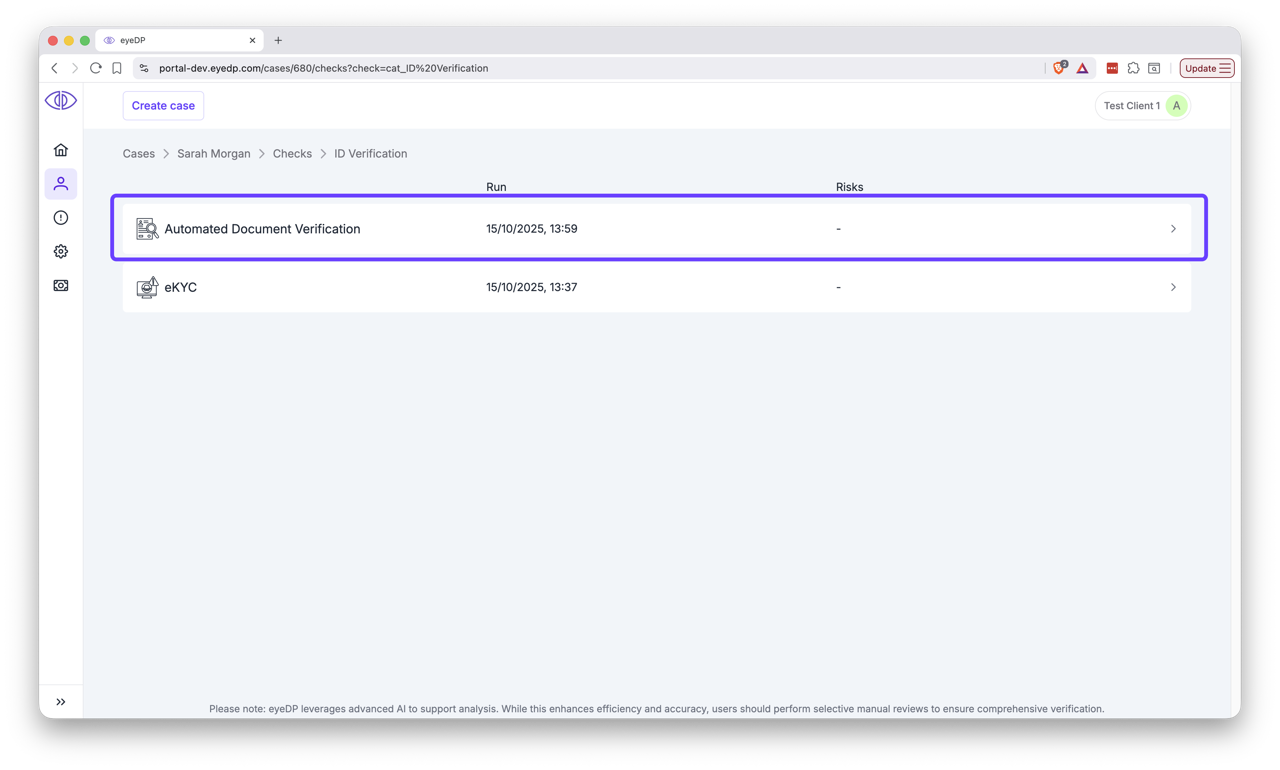
If you have the "Show Categories" toggle enabled, ADV operations will be listed under "ID Verification" alongside other ID-related operations.
ADV Results
The results page displays any Risks that were raised and allows the user to remediate them. A detailed breakdown of the ADV results is also displayed for reference.
The images used for the check are also displayed. Note that due to the nature of the checks, not all images are displayed.

API Results
The check runs asynchronously. When the ADV session completes, an automated-doc-verification/completed webhook is sent (see Webhooks). Use the checkId from the payload to fetch the result below, or poll Get case checks until the check appears.
Request options
| Endpoint | /api/cases/{caseId}/checks/{checkId} |
|---|---|
| Method | GET |
Response
Here is an example of a response for the ADV Response:
In this example check the user presented an out of date document (passport) and was there for the liveness check but the face didn't match the document.
You can request each image generated from the livness check using the supplied urls in images with a GET request.
(Check the Swagger definition for the full schema: https://api-sandbox.eyedp.com/swagger)
json
{
    "id": 2288,
    "checkName": "automated-doc-verification",
    "checkLabel": "Automated Document Verification",
    "checkDescription": "Automatic verification of Government issued Proof of Identity Documents.",
    "createTs": "2025-12-03T15:41:00.567",
    "advResponse": {
        "advCheckResult": [
            {
                "type": "ID_DOCUMENT_AUTHENTICITY",
                "state": "DONE",
                "report": {
                    "recommendation": {
                        "value": "REJECT"
                    },
                    "breakdown": [
                        {
                            "subCheck": "document_in_date",
                            "result": "FAIL",
                            "details": []
                        }
                    ]
                },
                "created": "2025-12-03T15:40:52Z",
                "lastUpdated": "2025-12-03T15:40:59Z"
            },
            {
                "type": "LIVENESS",
                "state": "DONE",
                "report": {
                    "recommendation": {
                        "value": "REJECT"
                    },
                    "breakdown": [
                        {
                            "subCheck": "liveness_auth",
                            "result": "FAIL",
                            "details": []
                        }
                    ]
                },
                "created": "2025-12-03T15:40:23Z",
                "lastUpdated": "2025-12-03T15:40:23Z"
            },
            {
                "type": "LIVENESS",
                "state": "DONE",
                "report": {
                    "recommendation": {
                        "value": "APPROVE"
                    },
                    "breakdown": [
                        {
                            "subCheck": "liveness_auth",
                            "result": "PASS",
                            "details": []
                        }
                    ]
                },
                "created": "2025-12-03T15:40:52Z",
                "lastUpdated": "2025-12-03T15:40:52Z"
            },
            {
                "type": "ID_DOCUMENT_FACE_MATCH",
                "state": "DONE",
                "report": {
                    "recommendation": {
                        "value": "REJECT"
                    },
                    "breakdown": [
                        {
                            "subCheck": "ai_face_match",
                            "result": "FAIL",
                            "details": [
                                {
                                    "name": "confidence_score",
                                    "value": "0.81"
                                }
                            ]
                        }
                    ]
                },
                "created": "2025-12-03T15:40:52Z",
                "lastUpdated": "2025-12-03T15:40:59Z"
            }
        ],
        "images": [
            {
                "url": "https://api-sandbox.eyedp.com/api/cases/814/assets/3957",
                "contentType": "image/jpeg"
            },
            {
                "url": "https://api-sandbox.eyedp.com/api/cases/814/assets/3960",
                "contentType": "image/jpeg"
            },
            {
                "url": "https://api-sandbox.eyedp.com/api/cases/814/assets/3962",
                "contentType": "image/jpeg"
            }
        ]
    }
}